Home  >  Category  >  Laser Printer  >  CO2 Laser Printer  > High quality machine A3 laser printer 3020
Browse Categories
DOD ink
consumables for Domino
consumables for Imaje
Consumables for Videojet
Consumables for Willett
Consumables for Citronix
Consumables for Hitachi
Consumables for Linx and EC
Consumables for Rottweil
Consumables for metronic
Consumables for KGK
Inkjet Printer
Inkjet Printer Spare Parts
TIJ Printer
Laser Printer
Conveyor and Paging Machine
Others
Zebra Spare Parts
Consumables For Universal
LPA Printers
Ecjet Spare Parts
DOD Printer
Consumables for China Brand printers
Latest News

How to see Videojet 2351 explainer video?

Now it is the Chinese interface, here are the print files, print frequency, current count, and switch language point settings: click control: Enter the language to switch: There is a time and date dis...

How to see Videojet 8520 Machine printing content modification and printing?

Modification and Printing of Printing Contents in Videojet 8520 Machine: We can edit the template that we have aleady set up. We choose the second template, click ‘Ok”,and here is the editable content...

TTO thermal transfer coding machine:Basic operation of Weidijie 6230 machine

Replace the language in the tool:Replace the language in the tool: Then enter the settings, point control, there will be language settings: The first one in the settings is the nozzle, and there are c...

How to see Videojet 8520 machine: introduction and information selection of main interface parameter

With a total of four nozzles, this is the usage of the four cartridges. Because it is not turned on, the ink cartridge is not inserted, and the real ink volume can be seen after the ink cartridge is i...

Videojet TTO hot transfer code machine 6330 print head opening method and ribbon winding method

There is a button here, pressing it down will open the door: Then pull out: Then you can see its entanglement method, and the trend of the direction of the arrow: The nozzle is here. When cleaning, us...

Videojet 1240 1280 1580 injection machine interface introduction and commonly used tool explanation

Let’s talk about the main interface. From left to right, the product counting, printing count, total printing, total running time; the percentage of the solvent on the right and the percentage of ink:...

How to edit the information of Videojet 1240 1280 1580 Jet Machine Information?

First of all, create a new information, and order the homework first: Click this plus key to name the information: Then you need to insert information, click the additional number, there are text, dat...

Videojet 8520 Machines:Installation Considerations

Don’t use brute force when installing the cartridge, install it gently. When unplugging, also pull gently because there is a chip. If you use brute force, the ink cartridge or the machine will be dama...

Videojet 8520 Machine:How to Adjust the Photoelectric

After the ink cartridges are installed, let's see how the machine works. It is now off. Click the blue button to start. If offline, press the green button to make it run. This is the true remaining am...

Videojet 8520 machine:How to clean the print head if the print quality is not good?

Click on settings. Click on Supplies. Then place a clean cloth or a piece of paper underneath. Click to clean the nozzle and confirm. This is what it looks like after cleaning. If it is still not good...

Videojet TTO6230 E3334 or E3337 Troubleshooting Guidelines

Product: 6230 Topic: Overview of troubleshooting guidelines for E3334 or E3337 failures: There are many possible causes for "E3334 Printhead Actuator" or "E3337 Printhead Actuator Position" failures t...

How to Install the Videojet 8520 Machine Ink Cartridges?

First, wipe the cartridge with a lint-free cloth in one direction, don't rub it back and forth. Lift the fixing plate up. The cartridge is tilted 45°, gently slide it in. Press it down again, and it i...

How to remove and install the pressure pump of Videojet 1000 series printers?

1.How to remove the pressure pump of the Videojet 1000 series printers? Unscrew the screw above the cover. After the removal is complete, open the box, there are two cables inside, and remove them. Br...

Videojet 8520 machine: How the machine was assembled and system configuration set up for the first t

Install the sprinkler. The machine has a total of four nozzles, no matter how many nozzles there are, the installation method is the same. Fix the nozzle . There are screw holes on the side of the fir...

How to draw out of ink and clean machine for Willett 430 machine?

Remove the main filter Then short it with a pipe Open this bottle Find an empty bottle and pull out this section Insert the tube into the bottle In the system, find out whether the nozzle pipe is clea...

Videojet Ink Cartridge, Valve Module, and Print Module Replacement Precautions

In the disassembly and installation, there are three large pieces, you need to pay attention to the ink core, pay attention to this joint, it must be tight, there can be no gaps, and don't let it run...

How to assemble the Unicorn II printer

Install the two fixing blocks on it, and install the screws on both sides Then put this bracket cylinder through and tighten the screws After tightening, there is an adapter block here, which is a who...

How to clean Videojet 43s

After the Videojet 43s ink is drained, add about 500ml of cleaning solution to it for cleaning, cleaning for about 20 minutes, need to be cleaned two or three times, run for about 20 minutes, and paus...

Videojet ink core installation and ink core classification explanation

1. How to install the ink core Remove this thing first, and then remove the two screws on the side. After removing the part of the screws, you can remove the whole ink core. 2. Ink core classification...

How to dismantle power 430 machine?

First remove the cover: Take this thing down again: Remove these wires: Remove the screws: Take out the keyboard: Remove these four screws and the display can be removed: Remove the mainboard and remo...
Contact Us
CONTACT US ,BEST SERVICE AND COST IS FOR YOU Tel:86-512-62810865 Fax:86-512-67301180 Email: sales@cheef.cn Whatsapp &MP and wechat:+86 181 6857 5767 Contact Now
High quality machine A3 laser printer 3020High quality machine A3 laser printer 3020High quality machine A3 laser printer 3020High quality machine A3 laser printer 3020High quality machine A3 laser printer 3020

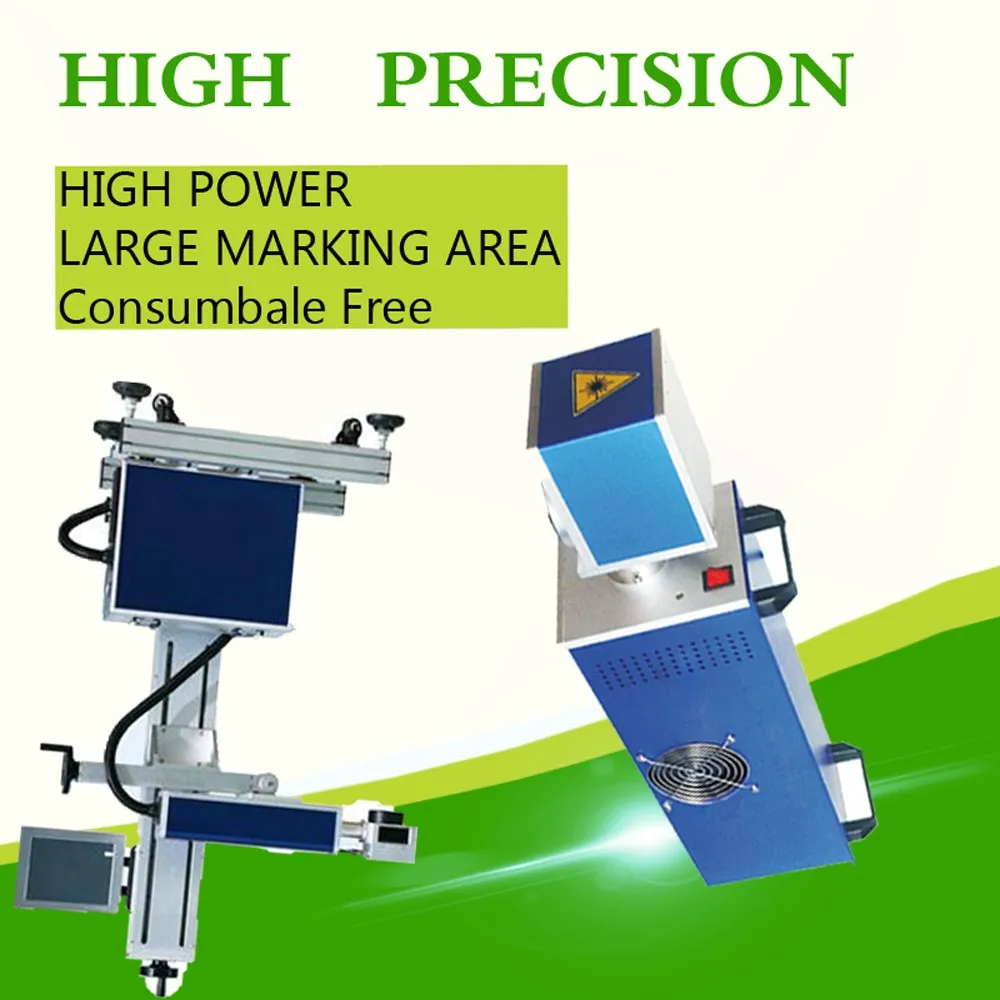
High quality machine A3 laser printer 3020

  • Specifications
  • Application:
  • Laser Marking
  • Condition:
  • New
  • Laser Type:
  • CO2
  • CNC or Not:
  • Yes
  • Cooling Mode:
  • Air Cooling
  • Control Software:
  • Software
  • Graphic Format Supported:
  • AI, BMP, DST, DWG, DXF, DXP, LAS, PLT, PSD
  • Working Accuracy:
  • 0.01mm
  • Place of Origin:
  • Jiangsu, China (Mainland)
  • Brand Name:
  • Cheef
  • Model Number:
  • CFCL10W
  • Power(W):
  • 10W/20W/30W/50W
  • Certification:
  • CCC, CE, GS, ISO, SGS, UL, 9000
  • After-sales Service Provided:
  • Engineers available to service machinery overseas
  • Applicable Material:
  • Plastic
  • Laser Power:
  • 10W/20W 30w 50w(Optional)
  • Keywords:
  • co2 laser marking printer
  • Warranty:
  • 2 Years
  • optical maser:
  • imported optical maser
  • Laser wavelength:
  • 10.64um
  • Marking Speed:
  • 0-7000mm/s
  • Marking Depth:
  • 0.01-2mm
  • minimum character:
  • 0.02mm
  • precision:
  • -0.01~+0.01

High quality machine A3 laser printer 3020

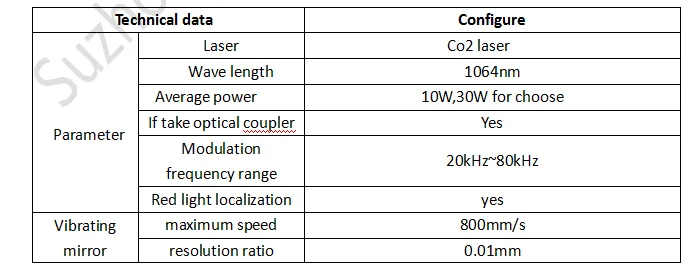
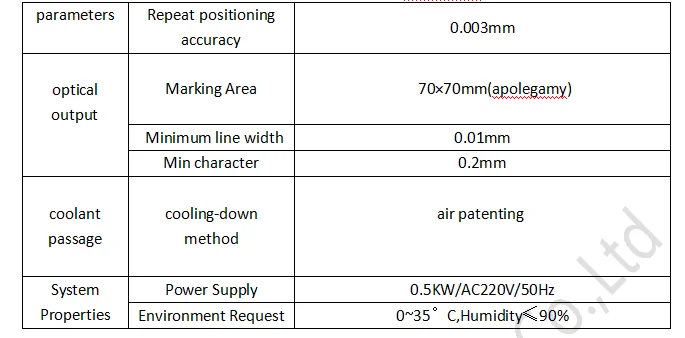
What is details of our co2 laser marking machine?

 parameter 1.png

    parameter2.png


1) laser are derived from the military technology;
2) laser pulse width, high peak power, high unafraid against;
3) laser are built-in light, red light positioning function;
4) the traditional optical isolation technology can cause 10% of the laser energy loss, using polarization independent optical isolation technology, the energy loss is only 1%.
5) good monochromaticity, lens reflection energy loss is small, processing of good quality;
6)Laser equipment with laser module and laser light power separation mode, convenient after-sale repair and maintenance process every time only replace power or light module, without the overall return to factory maintenance, greatly reduce the maintenance time of the clients.

What Advantage of our co2 laser marking machine?

1) Excellent beam quality, suitable for precision, fine code
    CJ series optical beam quality of laser printer is much better than traditional flash lamp pumped and semiconductor pumping solid laser printer , it is for the base model output, divergence Angle is small.especially suitable for high precision, fine code print.
2) Small size, easy handling, achieve more portable
   CJ series of laser printer’s weight and the area is 1/10 and 1/4 compared with the flash lamp pumped solid state laser printer, it can save space, easy to handle. Able to meet the requirements of working site often change to realize portable products.
3) The laser output power is stable, equipment has high reliability
    Energy fluctuation is less than 2%, to ensure the stability of the laser code quality; 
4) High efficiency, low energy consumption, save the cost
    Electro-optic conversion efficiency was 30%, the equipment is only 200 ~ 500 w, is 1/10 of the flash lamp pumped solid state laser printer, long-term use can save a lot of energy expenditure for the users. 
5) Independent intellectual property rights of software operation, simple operation, powerful functions
    Our laser print can marking vector graphics, text, bar codes and qr code, and it can be upgraded to realize online code, automatic code date, shift, batch number, serial number, support the PLT, DXF, BMP, AI file formats, and directly use SHX, TIF font.
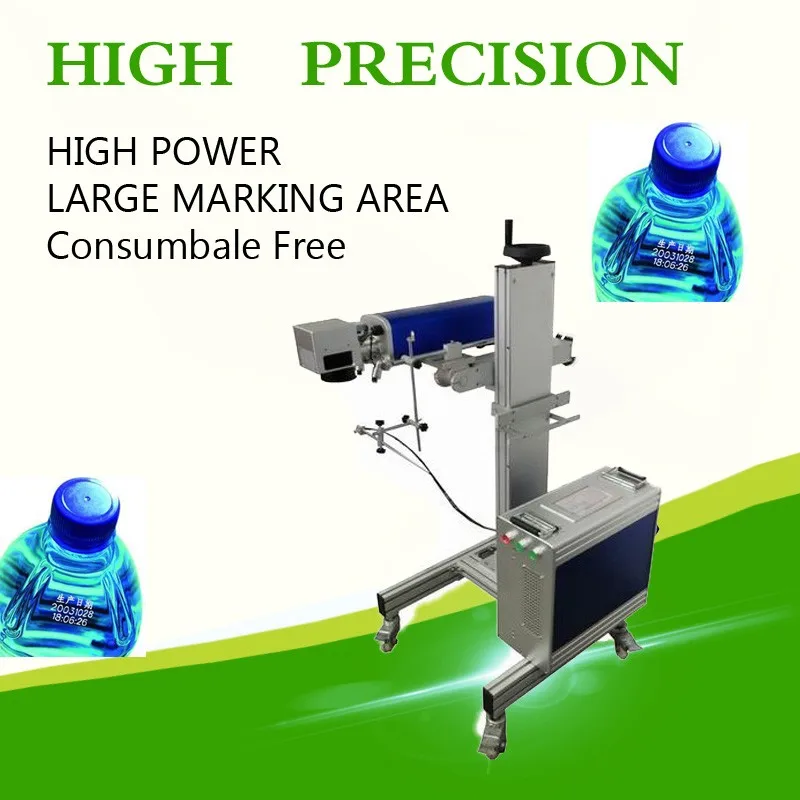
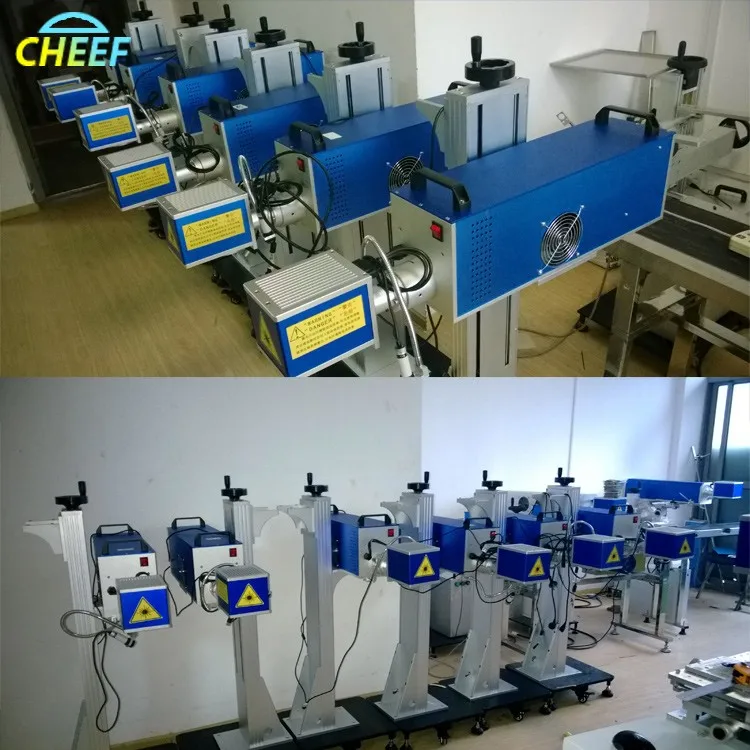
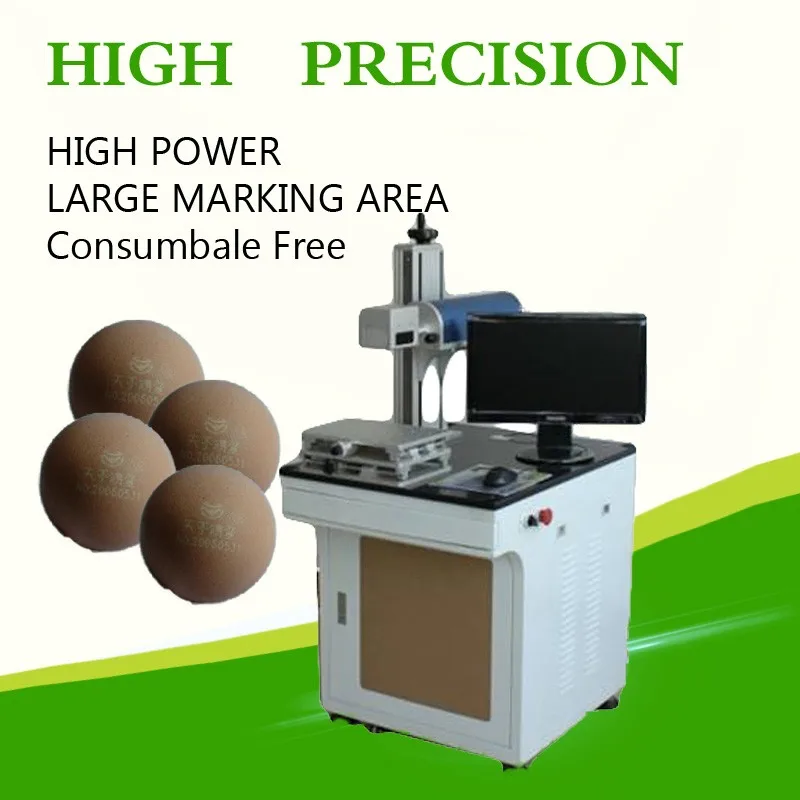
Product Pictures

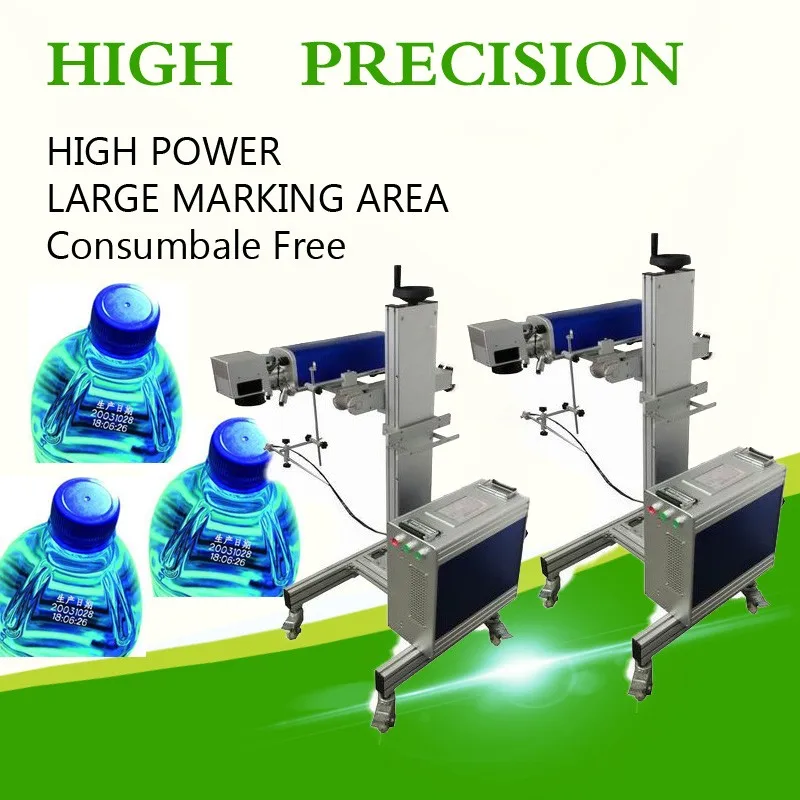
laser-printer55laser-printer73laser-printer67

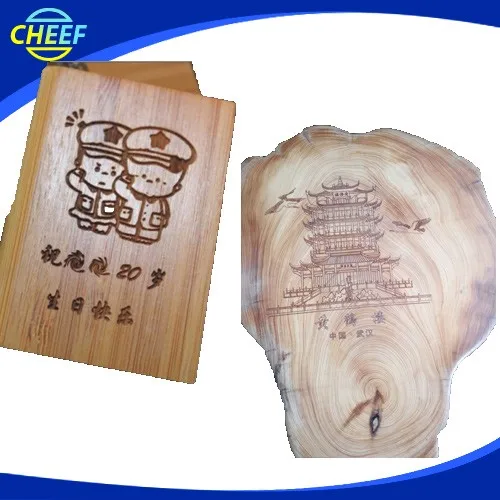
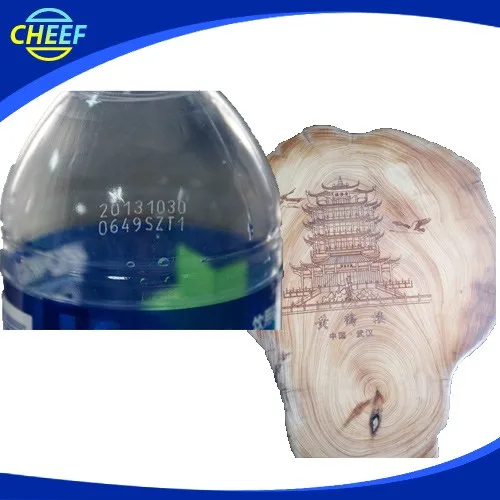
Print Effect 

laser-print-effect-01.jpg

laser-print-effect-02.jpg

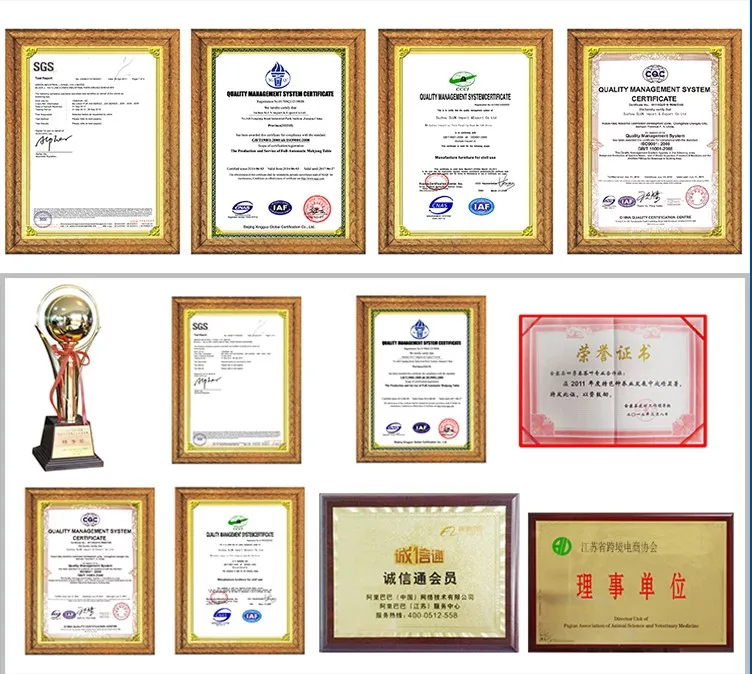
Why Choose Us?

laser-print-effect-03.jpg

Why choose us.jpg

Related Products-Fibre Laser Printer

laser-printer-53

FAQ

Q1: How to select a suitable laser printer?

 A: Please tell us below request.

   1. Print Content

   2. Products or material which you want to print

   3. Output:how many products your line can produce per hour?

 According to these information, we will suggest you the best suitable laser printer.


Q2: If laser printer can used on production conveyor?

 A: Yes,sure,our printer can be used on production line or with the conveyor.


Q3: How many years of the Warranty Time?

A:Normally is 13 months, within this period we will send spare part free to you if there are any problems with them (except artificial damage).


Q4:How to run and stall the machine?

 A:Our technician have installed the machine before shipping. For some small parts installation,we will send detail training video , users manual along with the machine.

It is easy for install.


Q5:How can I do if the machine goes wrong?

 A:If confronted with such problem,please contact us asap. We will help you solve it immediately.


Q6:What is the strong points of this laser print?

A:There are four main strong poins not limited to these items

1.The equipment is small in size, easy to install, no maintenance, less power consumption. Unique integrated fully integrated design, optical, electronic, and mechanical devices are highly integrated.

2.the high-speed galvanometer laser marking header, marking speed, with a high quality beam, long service life, installation characteristics of flexible and convenient maintenance and so on.

3.Special laser printing software, simple operation, no poison, no pollution, high stability, low failure rate. It can meet the needs of more than most of the various types of production line.

4.And the most important is that it is no need to do the maintenance, the laser print is consumable free.


Q7:What you can do for us except provide printer?

A: We can provide technical services,lifelong service,file services,language,and training,and so on.

Technical services: We have professional engineers available to service machinery overseas, once we receive your inquiry about fault, we will reply you within 24 hours, and offer you any technical service about machine.

Lifelong Services: We provide lifelong services for all the products we sold out, and supply the spare parts with competitive price.


File Services:  We can supply Manual Specification, Operating Video and other files you need.


Language: We have a professional sales team who are good at English to ensure zero communication barriers.

Training:We can provide training for your guys, you can send your guys to our factory, we are responsible for your training them.


Q8:Which material can be print?

A:widely used in food, beverage, tobacco, electronics, medicine, leather, alcohol and other industries. Applicable materials: paper, plastic, film, foil, wood, glass, PVC, ABS etc..


Q9:Which content of your printer can be print?

A:Our laser print can marking vector graphics, text, bar codes and qr code, and it can be upgraded to realize online code, automatic code date, shift, batch number, serial number, support the PLT, DXF, BMP, AI file formats, and directly use SHX, TIF font.
 

Q10: How to ship it?

 A:We provide the express, air shipping and sea shipping according to your order quantity or using your forwarder.We will provide the best suitable and economical shipping for you to choose. 


Q11: How to place an order?

 A: You could place an order on trade assurance or place to us directly.


Q12: How to contact us?

 A: You could email us or send us inquiry through alibaba below.


How to contact us ?

Send your Inquiry Details in the Below , Click “Send” Now !


Suzhou Cheef Technology Co.,LTD

Tel:86-512-62810865

Contact Person:Inkjet cheef

Send Inquiry

    Verification code

    Online Service