Home  >  Category  >  طابعة ليزرية  >  طابعه ليزر ليفية  > hot sale Domain laser 30W 55W CO2 laser marking machine for bottle wood leather printer price
تصفح الفئات..
حبر وزارة الدفاع
المواد الاستهلاكية للدومينو
المواد الاستهلاكية لImaje
المواد الاستهلاكية لVideojet
المواد الاستهلاكية لشركة ويليت
المواد الاستهلاكية لسيترونيكس
المواد الاستهلاكية لشركة هيتاشي
المواد الاستهلاكية لLinx وEC
المواد الاستهلاكية لروتويل
المواد الاستهلاكية للميترونيك
المواد الاستهلاكية لـ KGK
طابعة نافثة للحبر
قطع غيار الطابعة النافثة للحبر
طابعة تيج
طابعة ليزرية
آلة النقل والترحيل
آحرون
قطع الغيار حمار وحشي
المواد الاستهلاكية لـ Universal
طابعات LPA
Ecjet Spare Parts
طابعة وزارة الدفاع
المواد الاستهلاكية للطابعات ذات العلامة التجارية الصينية
أحدث الأخبار

كيف ترى VideoJet 2351 Expleser Video؟

الآن هي الواجهة الصينية ، إليك ملفات الطباعة ، وتردد الطباعة ، والعدد الحالي ، وإعدادات نقاط لغة التبديل: انقر فوق التحكم: أدخل اللغة للتبديل: هناك عرض زمني وتاريخ هنا ، ويتم عرض العدد الإجمالي للطباع...

كيف ترى VideoJet 8520 Machine Printing Content Modification and Printing؟

تعديل وطباعة محتويات الطباعة في جهاز VideoJet 8520: يمكننا تحرير القالب الذي قمنا بإعداده. نختار القالب الثاني ، انقر فوق "موافق" , وهنا المحتوى القابل للتحرير ، 1،2،3،4،5 نختار أول واحد ، يمكننا تعدي...

آلة ترميز النقل الحراري TTO: التشغيل الأساسي لآلة Weidijie 6230

استبدل اللغة في الأداة: استبدل اللغة في الأداة: ثم أدخل الإعدادات ، والتحكم في النقاط ، سيكون هناك إعدادات لغة: أول واحد في الإعدادات هو الفوهة ، وهناك المواد الاستهلاكية والتحكم: هناك إعدادات شائعة ا...

كيف ترى جهاز VideoJet 8520: مقدمة واختيار المعلومات لمعلمات الواجهة الرئيسية (المواد الاستهلاكية ، ا

مع ما مجموعه أربع فوهات ، هذا هو استخدام الخراطيش الأربع.نظرًا لعدم تشغيله ، لا يتم إدخال خرطوشة الحبر ، ويمكن رؤية حجم الحبر الحقيقي بعد إدخال خرطوشة الحبر.تعرض الواجهة الرئيسية السرعة ، وعدد المطبوع...

VideoJet tto machine رمز النقل الساخن 6330 طريقة فتح رأس الطباعة وطريقة لف الشريط

هناك زر هنا ، والضغط عليه لأسفل سوف يفتح الباب: ثم انسحب: ثم يمكنك رؤية طريقة التشابك ، واتجاه اتجاه السهم: الفوهة هنا.عند التنظيف ، استخدم قطعة قماش خالية من الغبار لتغمس بعض الكحول ومسحها في اتجاه و...

VideoJet 1240 1280 1580 مقدمة واجهة آلة الحقن وشرح الأداة الشائعة الاستخدام

دعنا نتحدث عن الواجهة الرئيسية.من اليسار إلى اليمين ، عدد المنتجات ، عدد الطباعة ، الطباعة الكلية ، إجمالي وقت التشغيل ؛النسبة المئوية للمذيب على اليمين والنسبة المئوية للحبر: الزر الأيسر من الأعلى إل...

كيفية تحرير معلومات VideoJet 1240 1280 1580 معلومات الجهاز النفاث؟

بادئ ذي بدء ، قم بإنشاء معلومات جديدة ، وطلب الواجب المنزلي أولاً: انقر فوق مفتاح Plus هذا لتسمية المعلومات: ثم تحتاج إلى إدراج المعلومات ، والنقر على الرقم الإضافي ، هناك نص ، تاريخ ، الوقت ، العداد...

VideoJet 8520 آلات: اعتبارات التثبيت

لا تستخدم القوة الغاشمة عند تثبيت الخرطوشةب تثبيته بلطف. عند الفصل ، اسحب بلطف لأن هناك شريحة. إذا كنت تستخدم القوة الغاشمة ، فسيتم تلف خرطوشة الحبر أو الجهاز. عند تثبيت كابل البيانات ، يجب تثبيته بإح...

VideoJet 8520 Machine : كيفية ضبط الكهروضوئية

بعد تثبيت خراطيش الحبر ، دعونا نرى كيف يعمل الجهاز. إنه الآن خارج. انقر فوق الزر الأزرق للبدء. إذا كانت غير متصلة بالإنترنت ، اضغط على الزر الأخضر لجعله يعمل. هذا هو الكمية الحقيقية المتبقية من الخرطو...

VideoJet 8520 Machine: كيفية تنظيف رأس الطباعة إذا كانت جودة الطباعة ليست جيدة؟

انقر على الإعدادات. انقر على الإمدادات. ثم ضع قطعة قماش نظيفة أو قطعة من الورق أسفلها. انقر لتنظيف الفوهة وتأكيد. هذا ما يبدو عليه بعد التنظيف. إذا كان لا يزال غير جيد بعد التنظيف ، فقم بإيقاف تشغيل ا...

VideoJet TTO6230 E3334 أو E3337 إرشادات استكشاف الأخطاء وإصلاحها

المنتج: 6230 الموضوع: نظرة عامة على استكشاف الأخطاء وإصلاحها إرشادات لفشل E3334 أو E3337: هناك العديد من الأسباب المحتملة لـ "E3334 Printhead Actuator" أو "E3337 Printhead منصب المشغل "فشل قد يحدث في...

كيفية تثبيت خراطيش حبر جهاز VideoJet 8520?

خرطوشة مائلة 45°، حركه بلطف في.اضغط عليه لأسفل مرة أخرى ، ويتم تثبيته. تثبيت جميع خراطيش الحبر الأربعة بهذه الطريقة.ملاحظة: لا تضغط على خرطوشة الحبر على الإصبع المعدني ، أو سيتم تلفها. حاول محاذاة رأس...

كيفية إزالة وتثبيت مضخة الضغط لطابعات سلسلة VideoJet 1000?

1. كيف لإزالة مضخة الضغط لطابعات سلسلة VideoJet 1000? قم بفك المسمار فوق الغطاء. بعد الإزالة ، افتح المربع ، وهناك كابلان في الداخل ، وإزالته. انزعها.

جهاز VideoJet 8520 : كيف تم تجميع الجهاز وإعداد تكوين النظام لأول مرة

تثبيت الرش. يحتوي الجهاز على ما مجموعه أربع فوهات ، بغض النظر عن عدد الفوهات الموجودة ، فإن طريقة التثبيت هي نفسها. إصلاح الفوهة. هناك ثقوب المسمار على جانب الفتحات الأولى والثانية والثالثة والرابعة....

كيفية الخروج من الحبر والآلة النظيفة لآلة ويليت 430؟

قم بإزالة المرشح الرئيسي ثم اختصر مع أنبوب افتح هذه الزجاجة ابحث عن زجاجة فارغة واسحب هذا القسم أدخل الأنبوب في الزجاجة في النظام ، اكتشف ما إذا كان أنبوب الفوهة نظيفًا أو تشغيل طابعة الكود بسرعة ، ان...

خرطوشة حبر VideoJet ووحدة الصمام واحتياطات استبدال وحدة الطباعة

في التفكيك والتركيب ، هناك ثلاث قطع كبيرة ، تحتاج إلى الانتباه إلى قلب الحبر ، والانتباه إلى هذا المفصل ، يجب أن يكون ضيقًا ، ولا يمكن أن تكون هناك فجوات ، ولا تدعها تنفد من الغاز. انتبه إلى هذه المضخ...

كيفية تجميع طابعة Unicorn II

قم بتثبيت كتلتين التثبيت على ذلك ، وقم بتثبيت البراغي على كلا الجانبين ثم ضع أسطوانة القوس هذه من خلال وتشديد البراغي بعد التشديد ، هناك كتلة محول هنا ، وهي كتلة المحول الكلية ، ثم وضع أسطوانة القوس ف...

كيفية تنظيف VideoJet 43s

بعد استنزاف حبر VideoJet 43S ، أضف حوالي 500 مل من محلول التنظيف له للتنظيف ، والتنظيف لمدة 20 دقيقة تقريبًا ، ويجب تنظيفه مرتين أو ثلاث مرات ، ويتم تشغيله لمدة 20 دقيقة تقريبًا ، وتوقف العملية. قم بإ...

FideoJet Ink Core Installation وشرح تصنيف الحبر الأساسي

1. كيفية تثبيت جوهر الحبر قم بإزالة هذا الشيء أولاً ، ثم قم بإزالة البراغي على الجانب. بعد إزالة جزء البراغي ، يمكنك إزالة قلب الحبر بالكامل. 2. تصنيف الحبر الأساسي الحبر الأساسية ، هناك خمسة أنواع من...

كيفية تفكيك الطاقة 430 آلة?

قم أولاً بإزالة الغطاء: خذ هذا الشيء مرة أخرى: إزالة هذه الأسلاك: إزالة البراغي: أخرج لوحة المفاتيح: قم بإزالة هذه البراغي الأربعة ويمكن إزالة الشاشة: قم بإزالة اللوحة الرئيسية وإزالة هذه الأسلاك أولا...
اتصل بنا
اتصل بنا، أفضل خدمة وتكلفة هي لك هاتف: 86-512-62810865 الفاكس: 86-512-67301180 البريد الإلكتروني: sales@cheef.cn Whatsapp & MP و Wechat: +86 181 6857 5767 Contact Now
hot sale Domain laser 30W 55W CO2 laser marking machine for bottle wood leather printer pricehot sale Domain laser 30W 55W CO2 laser marking machine for bottle wood leather printer pricehot sale Domain laser 30W 55W CO2 laser marking machine for bottle wood leather printer pricehot sale Domain laser 30W 55W CO2 laser marking machine for bottle wood leather printer pricehot sale Domain laser 30W 55W CO2 laser marking machine for bottle wood leather printer price

hot sale Domain laser 30W 55W CO2 laser marking machine for bottle wood leather printer price

  • Specifications
  • Application:
  • Laser Marking
  • Condition:
  • New
  • Laser Type:
  • CO2
  • CNC or Not:
  • Yes
  • Cooling Mode:
  • Air Cooling
  • Control Software:
  • Software
  • Graphic Format Supported:
  • AI, BMP, DST, DWG, DXF, DXP, LAS, PLT, PSD
  • Working Accuracy:
  • 0.01mm
  • Place of Origin:
  • Jiangsu, China (Mainland)
  • Brand Name:
  • Cheef
  • Model Number:
  • CFCL10W
  • Power(W):
  • 10W/20W/30W/50W
  • Certification:
  • CCC, CE, GS, ISO, SGS, UL, 9000
  • After-sales Service Provided:
  • Engineers available to service machinery overseas
  • Applicable Material:
  • Plastic
  • Laser Power:
  • 10W/20W 30w 50w(Optional)
  • Keywords:
  • co2 laser marking printer
  • Warranty:
  • 2 Years
  • optical maser:
  • imported optical maser
  • Laser wavelength:
  • 10.64um
  • Marking Speed:
  • 0-7000mm/s
  • Marking Depth:
  • 0.01-2mm
  • minimum character:
  • 0.02mm
  • precision:
  • -0.01~+0.01

laser rubber stamp making machine LY-340

What is details of our co2 laser marking machine?

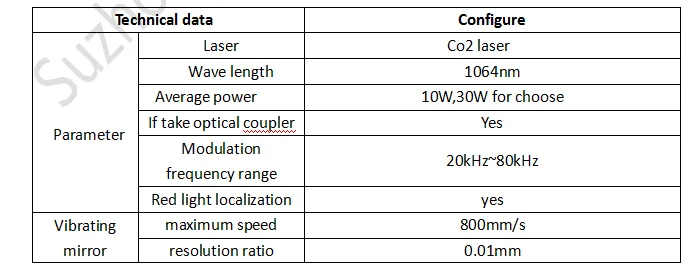
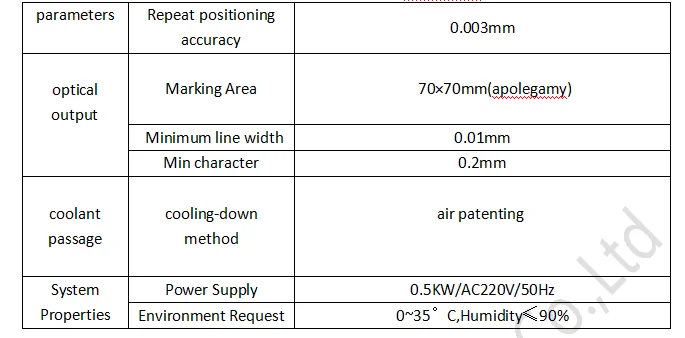
 parameter 1.png

    parameter2.png


1) laser are derived from the military technology;
2) laser pulse width, high peak power, high unafraid against;
3) laser are built-in light, red light positioning function;
4) the traditional optical isolation technology can cause 10% of the laser energy loss, using polarization independent optical isolation technology, the energy loss is only 1%.
5) good monochromaticity, lens reflection energy loss is small, processing of good quality;
6)Laser equipment with laser module and laser light power separation mode, convenient after-sale repair and maintenance process every time only replace power or light module, without the overall return to factory maintenance, greatly reduce the maintenance time of the clients.

What Advantage of our co2 laser marking machine?

1) Excellent beam quality, suitable for precision, fine code
    CJ series optical beam quality of laser printer is much better than traditional flash lamp pumped and semiconductor pumping solid laser printer , it is for the base model output, divergence Angle is small.especially suitable for high precision, fine code print.
2) Small size, easy handling, achieve more portable
   CJ series of laser printer’s weight and the area is 1/10 and 1/4 compared with the flash lamp pumped solid state laser printer, it can save space, easy to handle. Able to meet the requirements of working site often change to realize portable products.
3) The laser output power is stable, equipment has high reliability
    Energy fluctuation is less than 2%, to ensure the stability of the laser code quality; 
4) High efficiency, low energy consumption, save the cost
    Electro-optic conversion efficiency was 30%, the equipment is only 200 ~ 500 w, is 1/10 of the flash lamp pumped solid state laser printer, long-term use can save a lot of energy expenditure for the users. 
5) Independent intellectual property rights of software operation, simple operation, powerful functions
    Our laser print can marking vector graphics, text, bar codes and qr code, and it can be upgraded to realize online code, automatic code date, shift, batch number, serial number, support the PLT, DXF, BMP, AI file formats, and directly use SHX, TIF font.
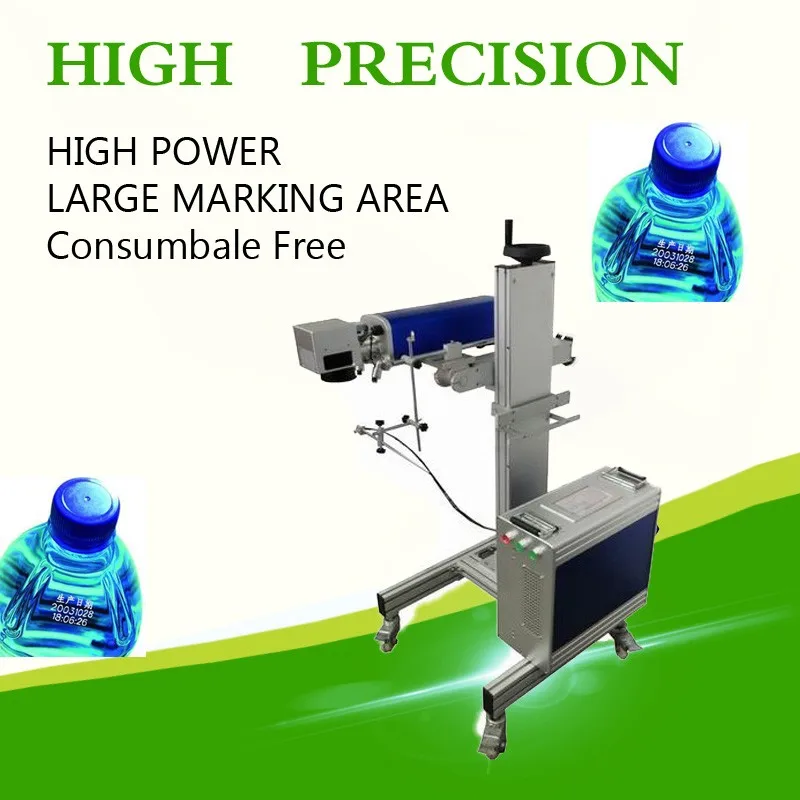
Product Pictures

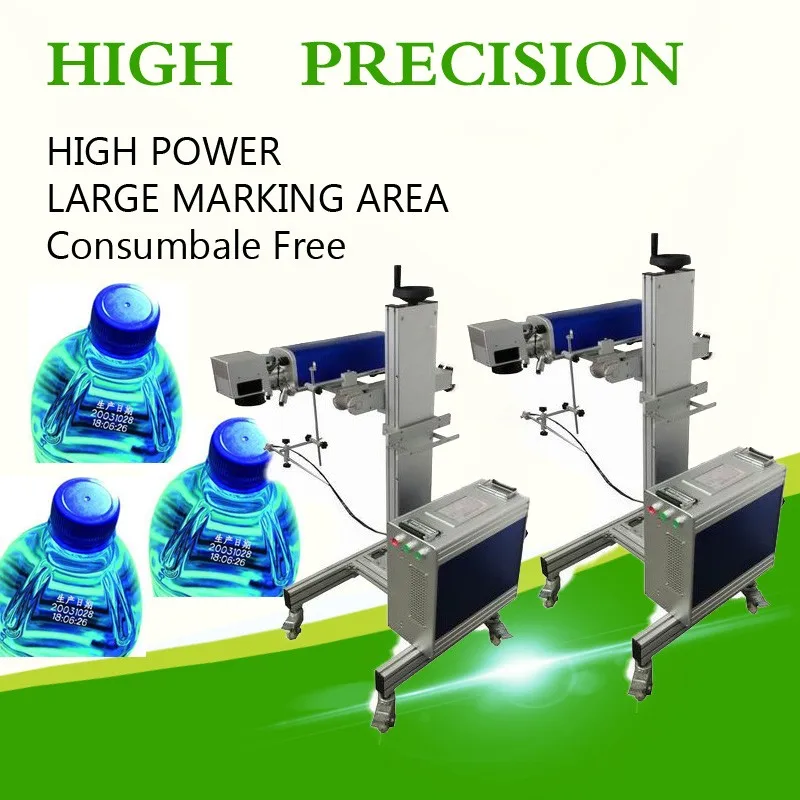
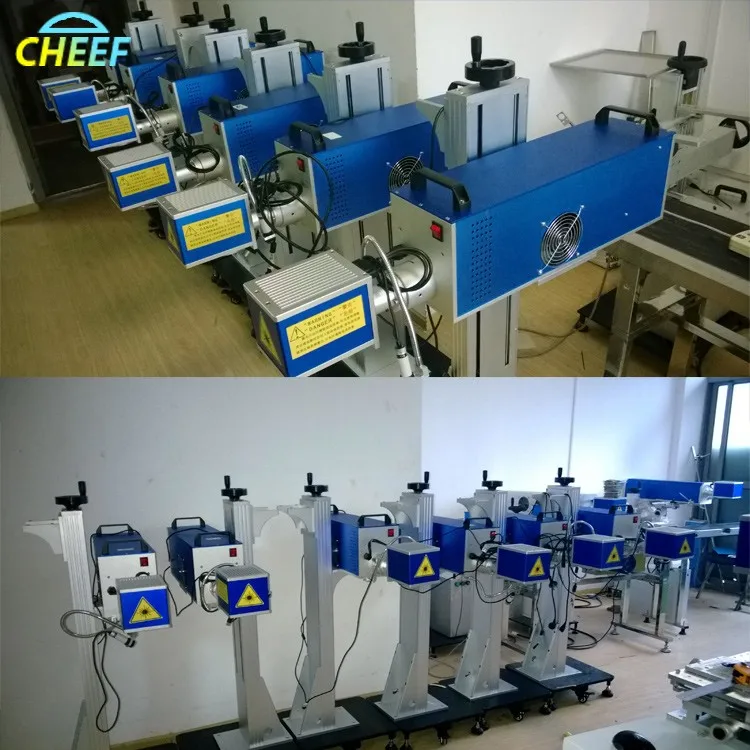
laser-printer55laser-printer73laser-printer67

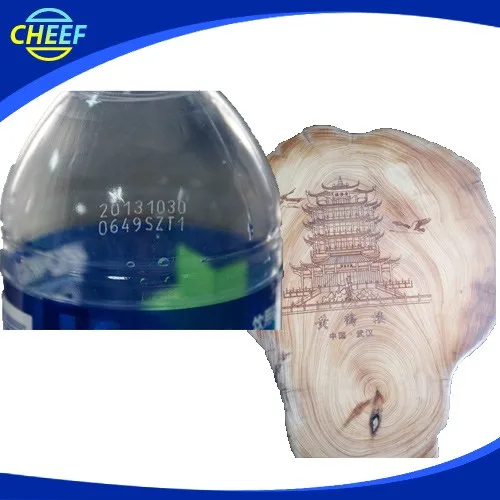
Print Effect 

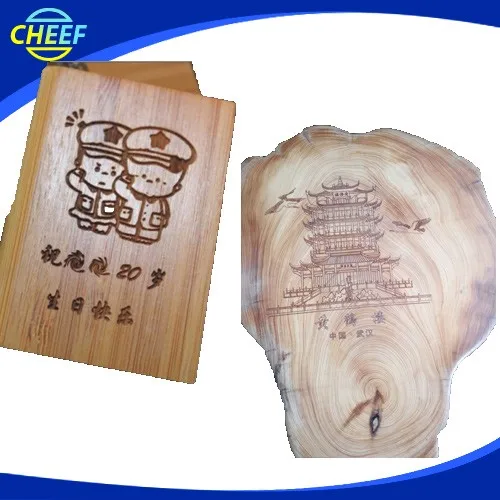
laser-print-effect-01.jpg

laser-print-effect-02.jpg

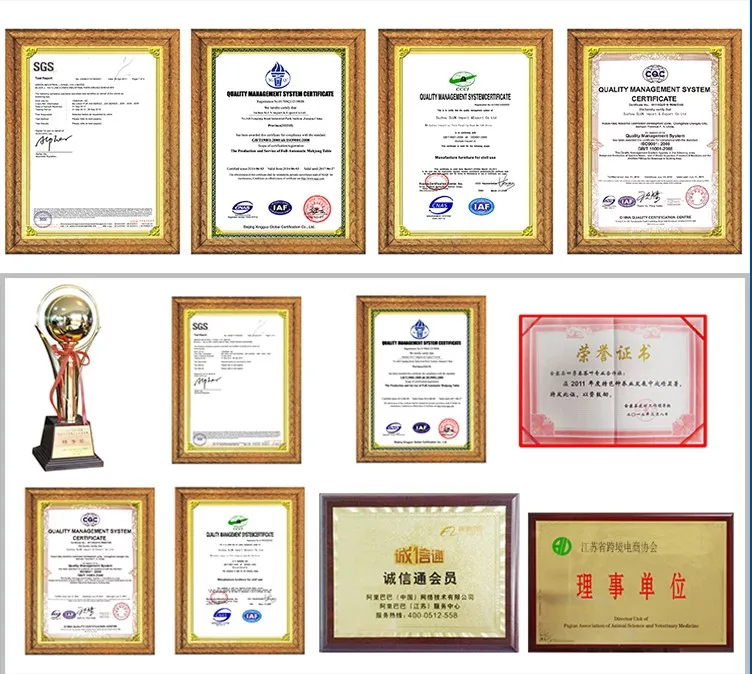
Why Choose Us?

laser-print-effect-03.jpg

Why choose us.jpg

Related Products-Fibre Laser Printer

laser-printer-53

FAQ

Q1: How to select a suitable laser printer?

 A: Please tell us below request.

   1. Print Content

   2. Products or material which you want to print

   3. Output:how many products your line can produce per hour?

 According to these information, we will suggest you the best suitable laser printer.


Q2: If laser printer can used on production conveyor?

 A: Yes,sure,our printer can be used on production line or with the conveyor.


Q3: How many years of the Warranty Time?

A:Normally is 13 months, within this period we will send spare part free to you if there are any problems with them (except artificial damage).


Q4:How to run and stall the machine?

 A:Our technician have installed the machine before shipping. For some small parts installation,we will send detail training video , users manual along with the machine.

It is easy for install.


Q5:How can I do if the machine goes wrong?

 A:If confronted with such problem,please contact us asap. We will help you solve it immediately.


Q6:What is the strong points of this laser print?

A:There are four main strong poins not limited to these items

1.The equipment is small in size, easy to install, no maintenance, less power consumption. Unique integrated fully integrated design, optical, electronic, and mechanical devices are highly integrated.

2.the high-speed galvanometer laser marking header, marking speed, with a high quality beam, long service life, installation characteristics of flexible and convenient maintenance and so on.

3.Special laser printing software, simple operation, no poison, no pollution, high stability, low failure rate. It can meet the needs of more than most of the various types of production line.

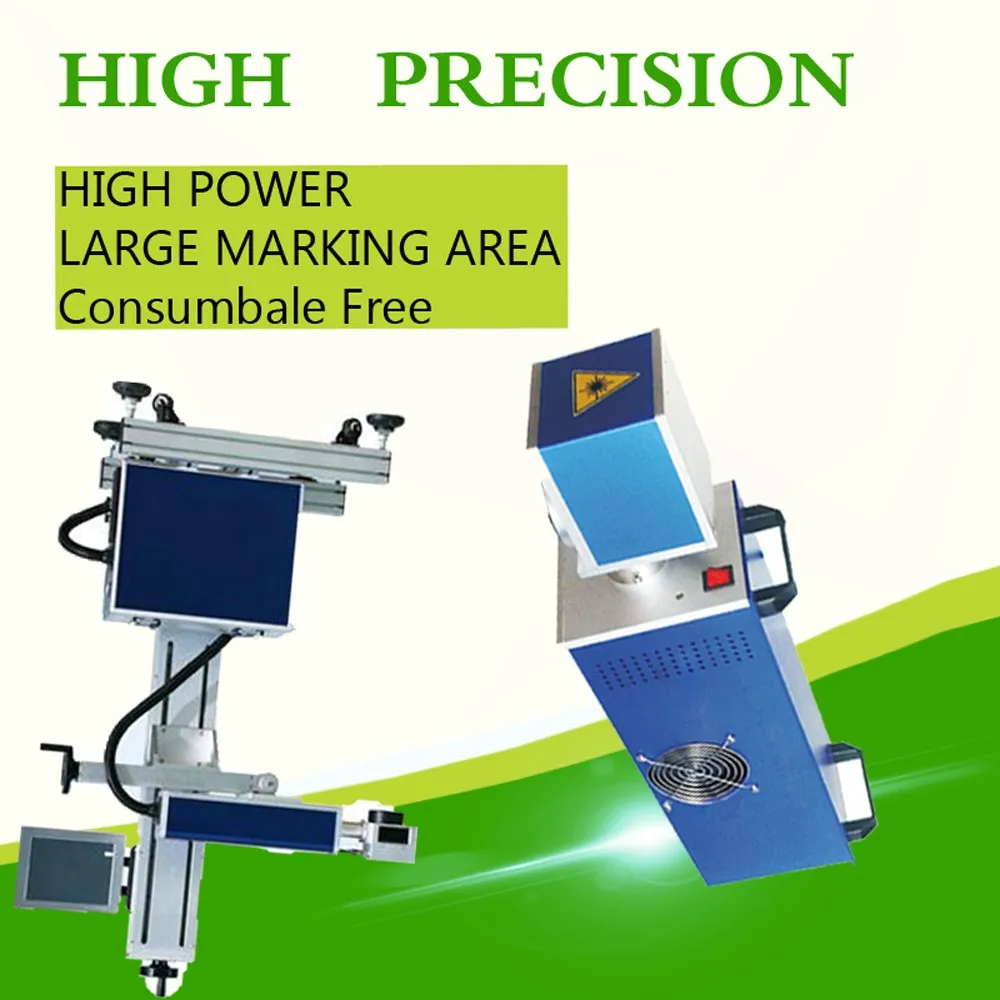
4.And the most important is that it is no need to do the maintenance, the laser print is consumable free.


Q7:What you can do for us except provide printer?

A: We can provide technical services,lifelong service,file services,language,and training,and so on.

Technical services: We have professional engineers available to service machinery overseas, once we receive your inquiry about fault, we will reply you within 24 hours, and offer you any technical service about machine.

Lifelong Services: We provide lifelong services for all the products we sold out, and supply the spare parts with competitive price.


File Services:  We can supply Manual Specification, Operating Video and other files you need.


Language: We have a professional sales team who are good at English to ensure zero communication barriers.

Training:We can provide training for your guys, you can send your guys to our factory, we are responsible for your training them.


Q8:Which material can be print?

A:widely used in food, beverage, tobacco, electronics, medicine, leather, alcohol and other industries. Applicable materials: paper, plastic, film, foil, wood, glass, PVC, ABS etc..


Q9:Which content of your printer can be print?

A:Our laser print can marking vector graphics, text, bar codes and qr code, and it can be upgraded to realize online code, automatic code date, shift, batch number, serial number, support the PLT, DXF, BMP, AI file formats, and directly use SHX, TIF font.
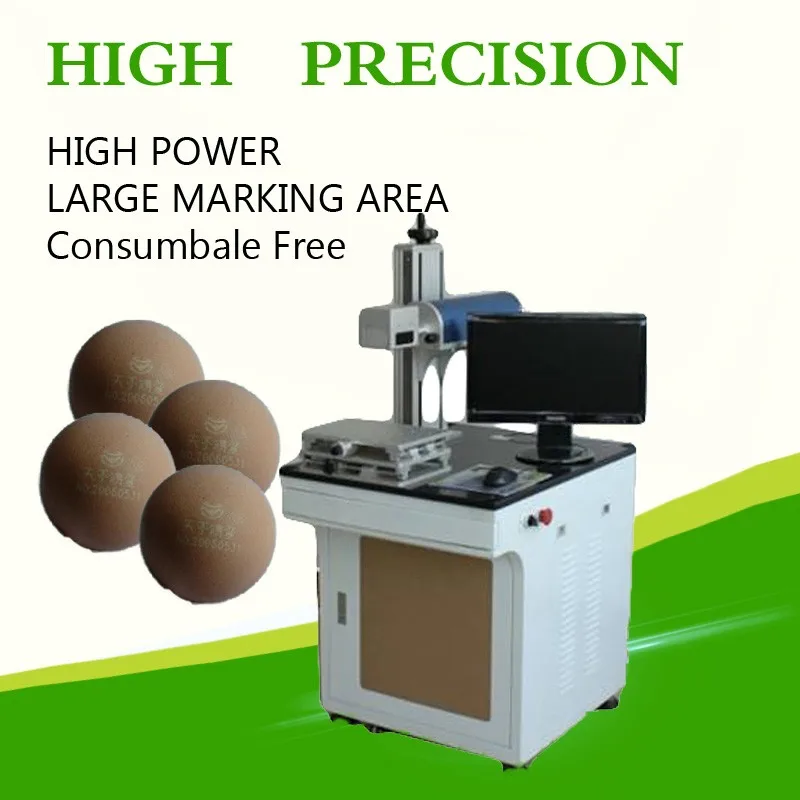
 

Q10: How to ship it?

 A:We provide the express, air shipping and sea shipping according to your order quantity or using your forwarder.We will provide the best suitable and economical shipping for you to choose. 


Q11: How to place an order?

 A: You could place an order on trade assurance or place to us directly.


Q12: How to contact us?

 A: You could email us or send us inquiry through alibaba below.


How to contact us ?

Send your Inquiry Details in the Below , Click “Send” Now !


Suzhou Cheef Technology Co.,LTD

Tel:86-512-62810865

Contact Person:Inkjet cheef

Send Inquiry

    Verification code

    Online Service